 To do list app has been installed!
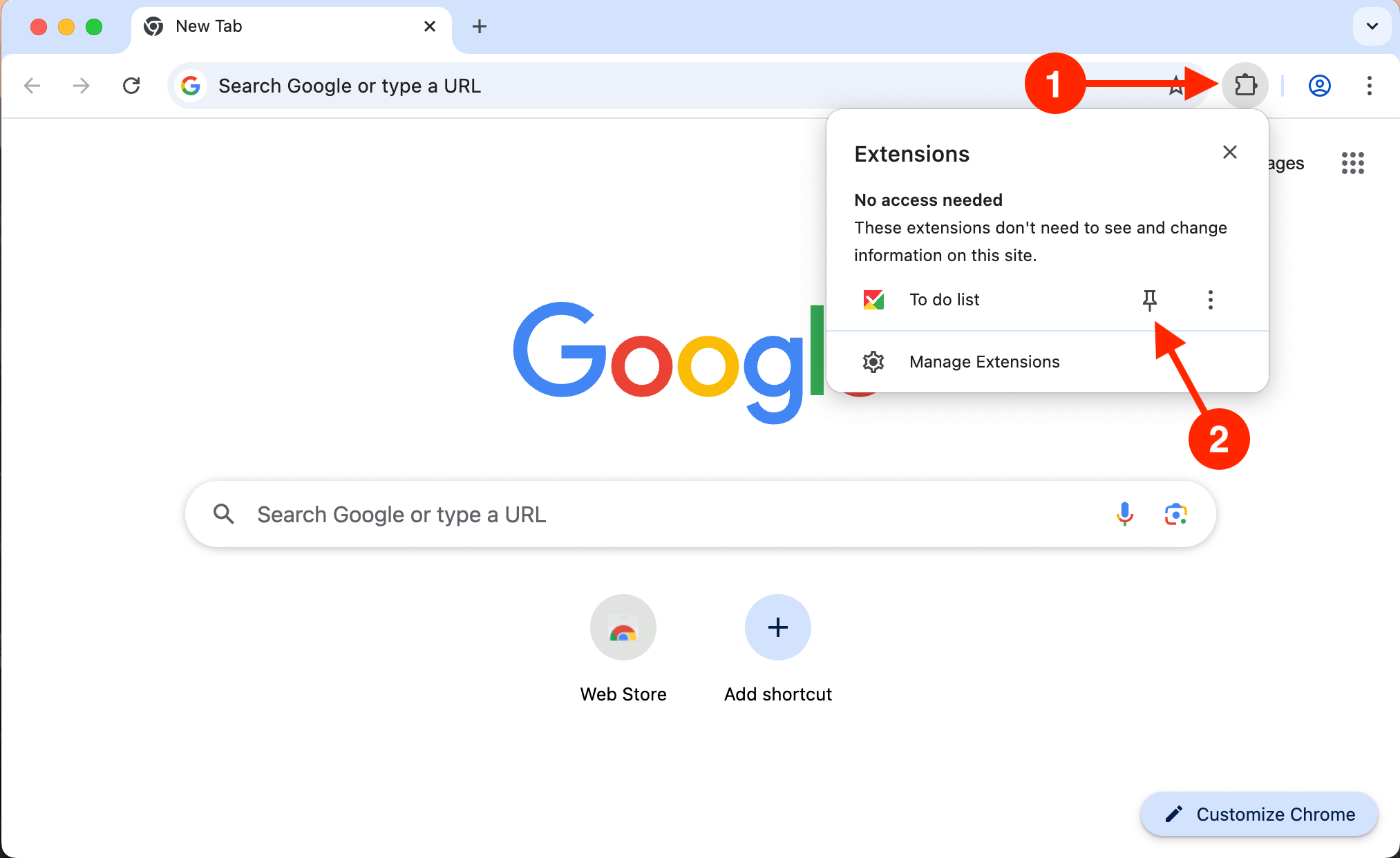
Click the puzzle piece icon (1) in the top right corner of your
browser.
Then, click the small pin icon (2) next to the
extension:
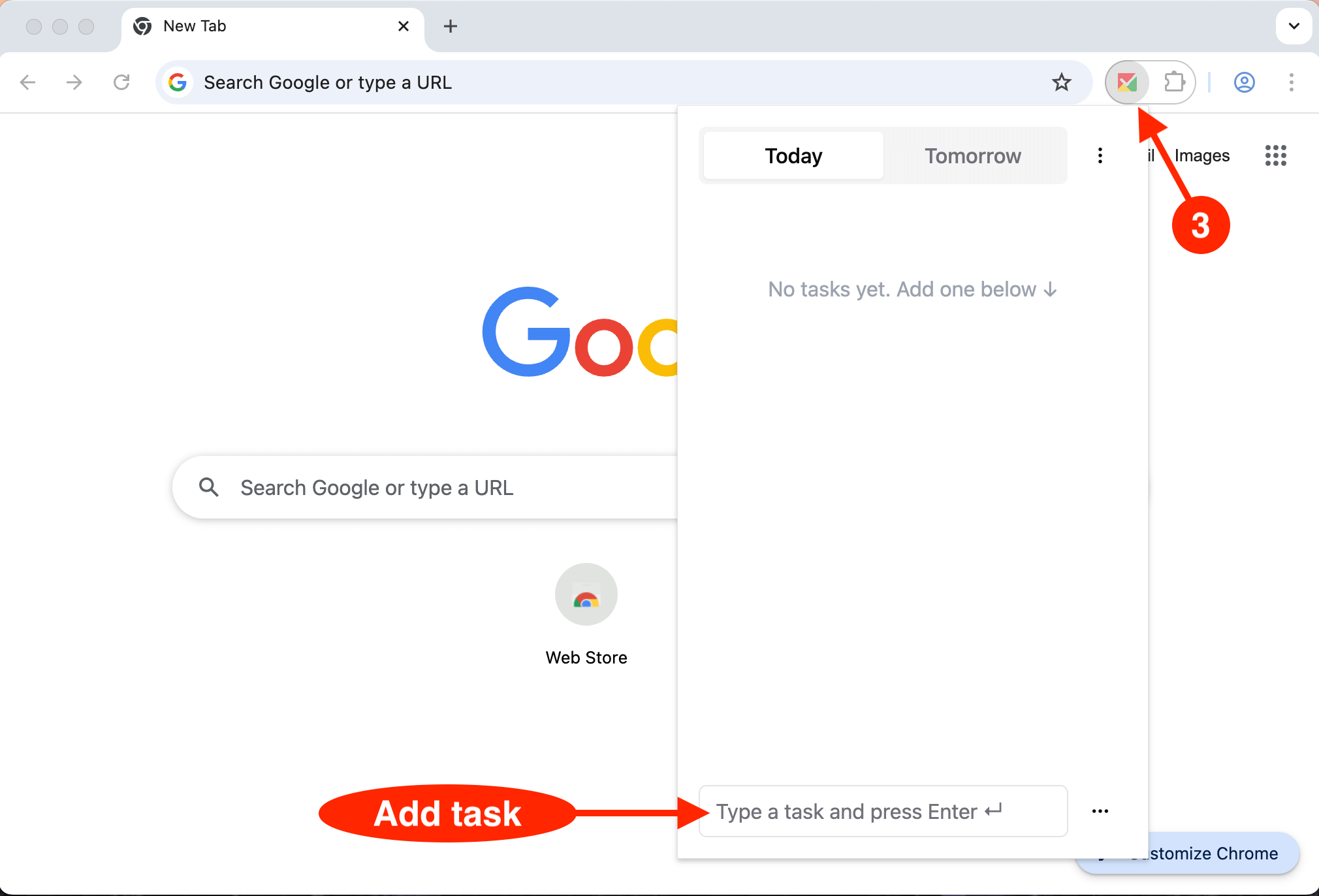
Open the extension (3) to start To do list app: